Do you want to design mobile applications? Here’s how you can make prototypes
Prototyping. That is one of the main keys in conceptualizing, designing and developing mobile applications. Developing a prototype or a navigable sketch of an app allows you to roughly materialize an idea, get close to the end result, accelerate the development phase, avoid future problems and also involve customers.
Within the development of mobile applications, there are three types of mock-ups:
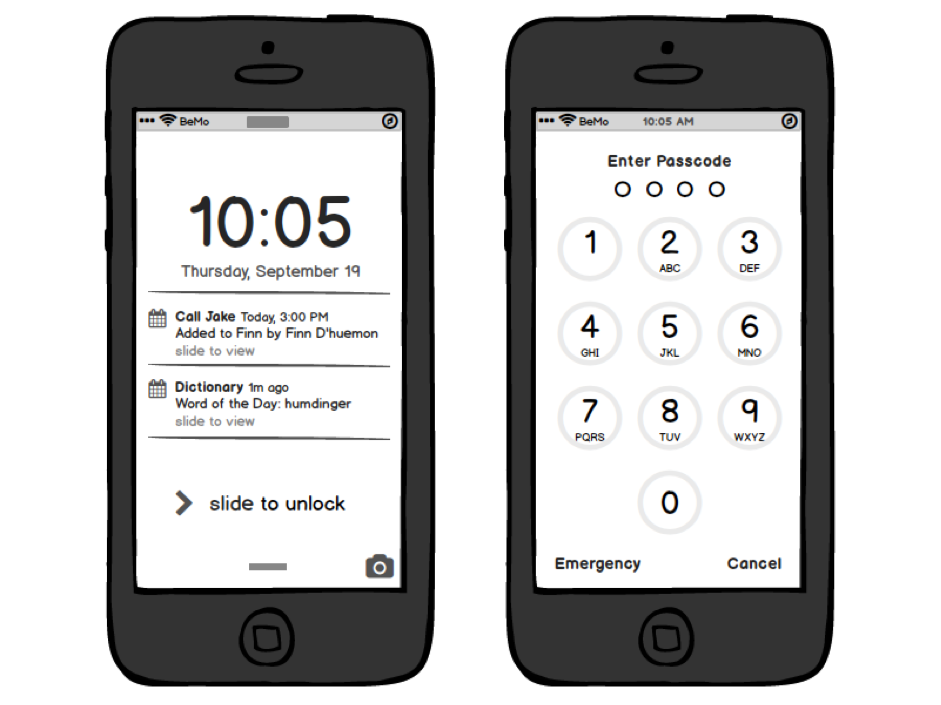
1. Sketch: the designer sketches on paper the future application and navigation between different screens. It serves to advance the process of subsequent prototyping in digital format. It is a static representation.
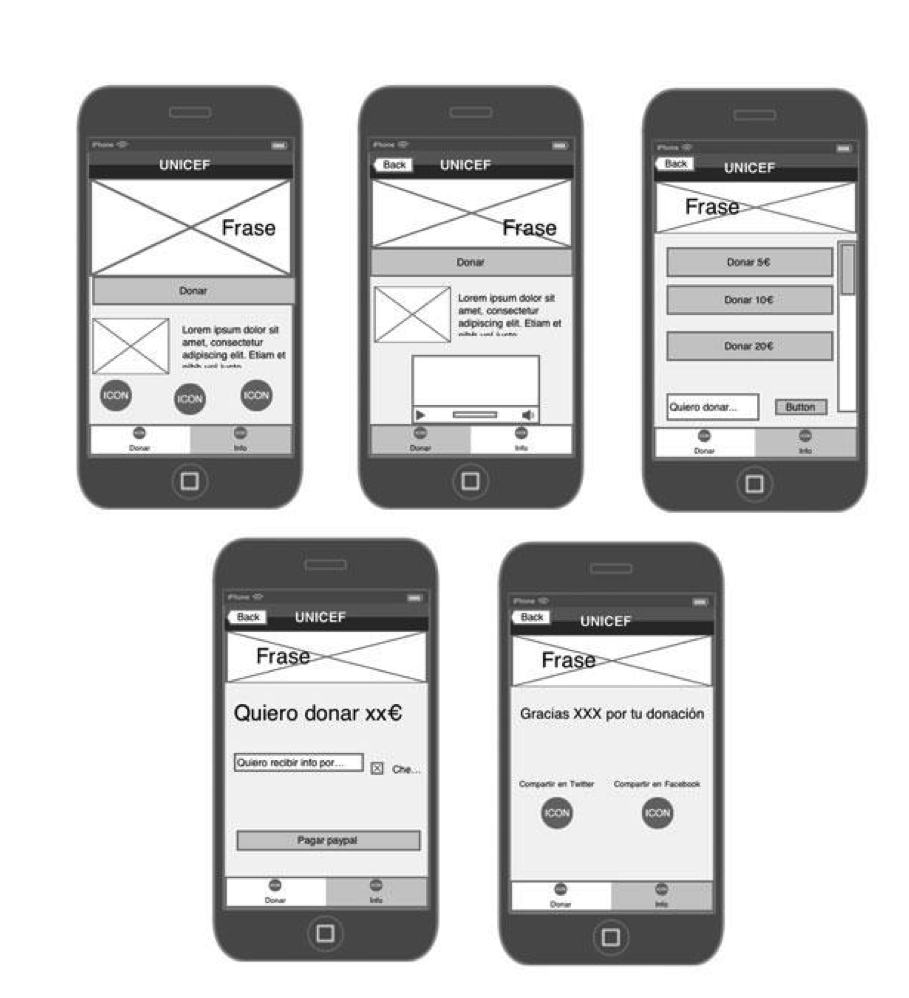
2. Wireframes: these mock-ups are more complete than those made in the sketching process. It is done on paper and digitally. It contains additional information on each of the screens: layout of buttons, content, calls to action, types of movements within the navigation between screens. This is very common in digital projects. It is a static representation that is usually delivered in image format.
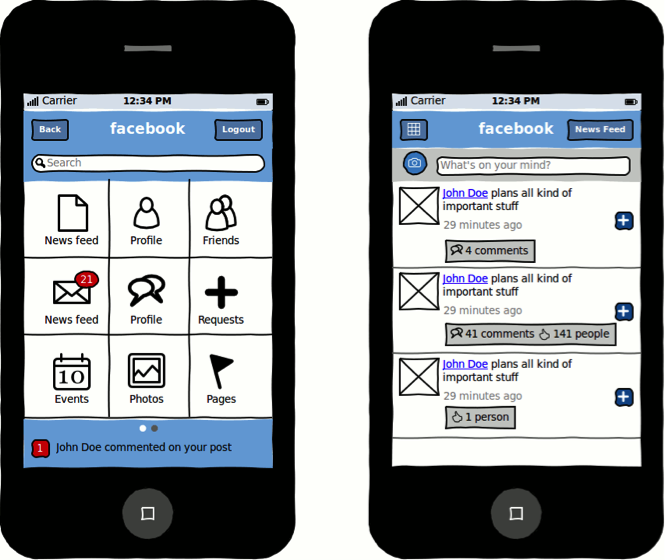
3. Mockup: this is taking wireframes a little further. It remains a static representation of the app, it is delivered to the prospect in an image, but can display the graphic line, the structure of the information, content and progresses the project's functionality.
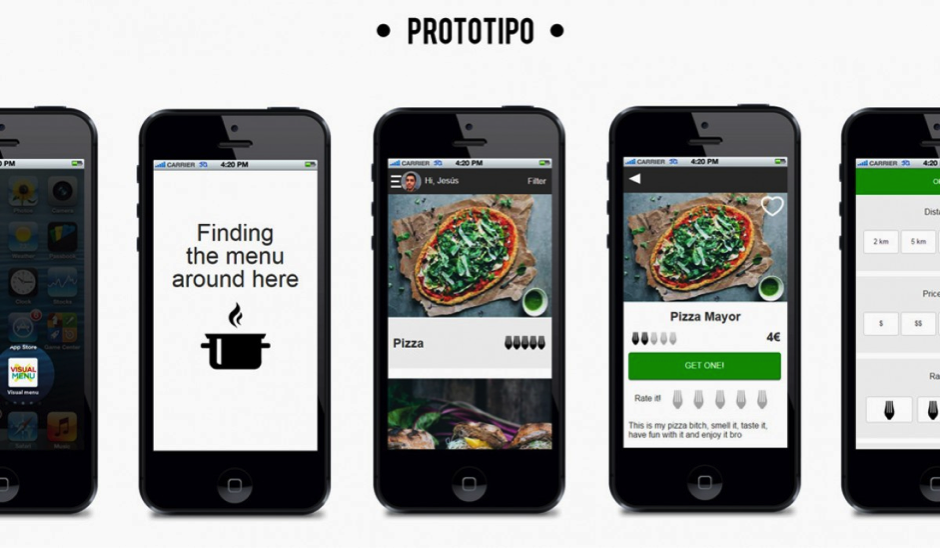
4. Prototypes: digital outline of the project. It shows the interaction between screens and content. It is a navigable representation, in which the user interacts with the actual prototype and the content as he/she will do in the future on the final product: the mobile application.
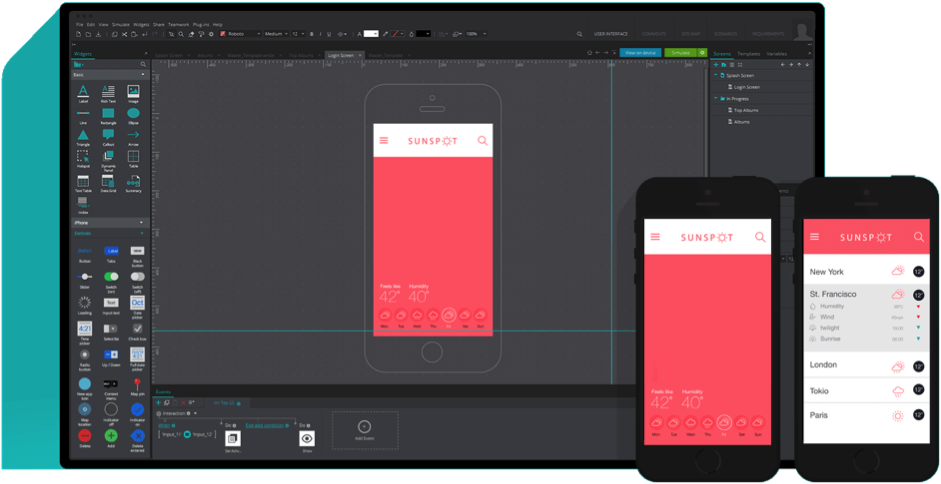
Proto.io is a tool for designing navigable prototypes of applications, for both mobile devices as well as smart watches. Its main features are:
– User interface libraries. In Proto.io the designer can drag and drop elements in the future interface to complete the interactive whiteboard as a Tetrix. In the end the user will come to a screen in which he/she may navigate just as in the actual application. These native libraries make it possible to give life to navigable prototypes without hitting a single line of code. It's like Meccano.
– Interactive and animated prototypes. Proto.io makes it possible to design prototypes that are able to transfer all the real user experience of the future application. The usual navigation contacts in applications are allowed: click, double click, up and down vertical navigation, left and right horizontal navigation, do or undo a zoom movement, etc.
– The tool also has functions to animate components or buttons from one screen to another. They are usually animations with 60 frames per second, in which the elements can move, rotate, transition in which they appear or fade … or even create sequences or loops of components.
– Smartphone apps. Proto.io also has tools to design prototypes for the new scenario of mobile applications, the famous Smartphones.
– Export the prototype. The work can be exported in several file types: the screens can be downloaded in PNGs, PDF format or HTML5. It can be sent to the customer or embedded in a site.
Prototyping tool developed by Justinmind. Features:
– Multi-device prototypes. Prototyper allows navigable prototypes of applications for iOS and Android to be developed, also for responsive websites (desktop, tablet and mobile) with all kinds of menus, buttons. With all the possibilities for interaction and navigation. It is also possible to develop prototypes of applications which later will run within Google Glass and create your own widgets from models preset by the tool itself.
– Interaction and navigation. Prototyper makes it possible to define from the prototype all interaction between screens, set the usual movements for navigation (vertical scroll, horizontal navigation and zoom) and incorporate all kinds of transitions and effects.
– Value added in the design part. This tool gives many options to any designer: colors, shading, fonts, image processing. In addition, its integration with Adobe Illustrator, possibly the most-used program in design, gives some interesting advantages: you can open any Illustrator file within Prototyper in vector format (SGV), which allows scaling without loss of image quality at any time.
Axure RP is a professional fee-based tool. It makes it possible to make such things ranging from wireframes of web pages and applications to mobile apps to navigable prototypes of any digital project. It is a complete platform, with the option to share progress made in the prototyping work in real time to seek feedback with colleagues and customers. Features:
– Wireframes tool: these are certain projects that customers request go step by step. They prefer to first see a mock-up in wireframes and make decisions from there, before seeing a navigable prototype. Axure RP allows that workflow. Wireframes can be made with their image or text boxes, their placeholders or buttons, etc. and then gradually add color, fillers or transparencies. It has many possibilities.
– Making interactive prototypes: Axure RP incorporates new elements here that come with a simple drag and drop. Mock-ups where the user can navigate through menus, display the different types of navigation, interact with content, etc.
– Share prototypes: the tool always generates a mock-up in HTML and JavaScript that can be viewed in any browser, Internet Explorer, Firefox, Safari or Chrome. It can be hosted on your own server or hosted by Axure. Therefore it is not necessary to have Axure RP to see prototypes made with this tool.
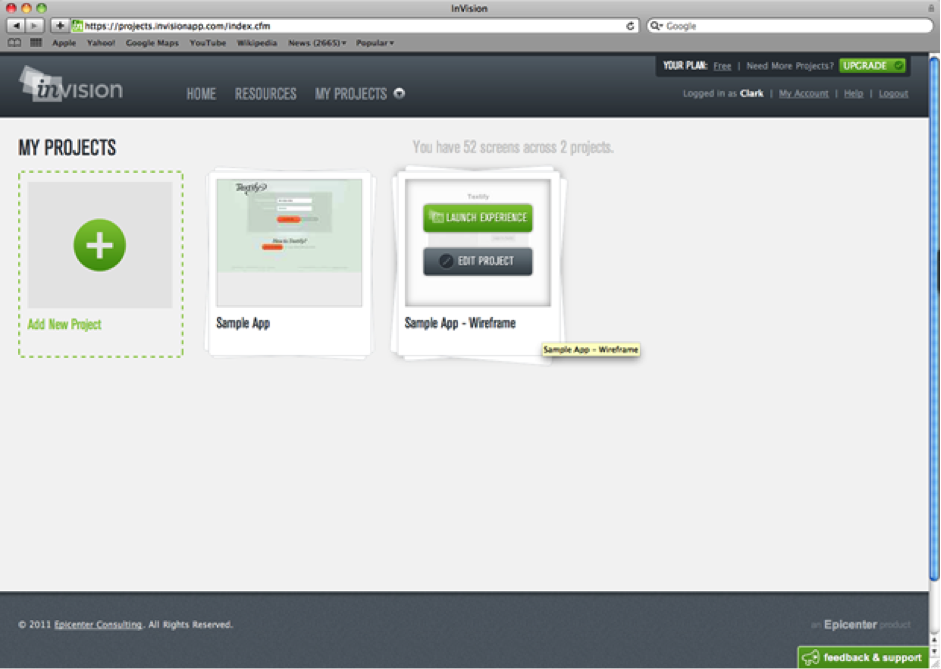
Invision is a free tool limited to a single project or fee-based with several plans. There are interesting features for a design firm within Invision, which combine features already seen in previous prototyping tools.
– Integration with project management platforms and workflows: Invision makes it possible to share prototyping work as project managers such as Basecamp, Trello or the ground-breaking Slack.
– Share content easily in communities: Invision is fully integrated with platforms like Dribbble, designed to share material with the design community which makes it possible to improve or find new views. The content shared there includes the owner, description and is labeled.
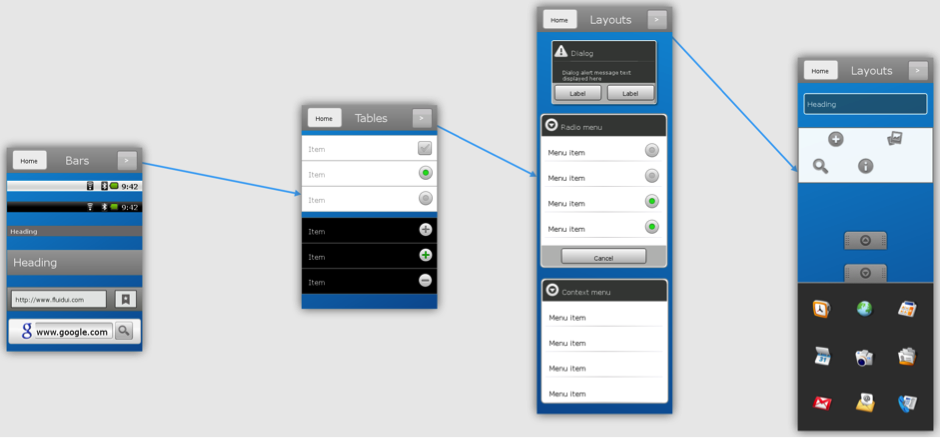
Fluid UI is a very specific tool for prototyping mobile applications on both Android and iOS (iPhone and iPad). It has its own application to test prototypes directly on cell phones. You can also test the models in a web browser (Internet Explorer, Firefox, Chrome and Safari). It has a free demo with a limitation on the number of projects (only allows one) and pages (10) and several fee-based plans ($12, $29 and $49 per month with increased functionality).
Banco Bilbao Vizcaya Argentaria, S.A. owner of this portal uses cookies and/or similar technologies of its own and third parties for the purposes of personalization, analytics, behavioral advertising or advertising related to your preferences based on a profile prepared from your browsing habits (e.g. pages visited). If you wish to obtain more detailed information, consult our Cookies Policy.
Cookie settings panel
These are the advanced settings for first-party and third-party cookies. Here you can change the parameters that will affect your browsing experience on this website.
Technical Cookies (required)
These cookies are used to give you secure access to areas with personal information and to identify you when you log in.
Name
Owner
Duration
Description
gobp.lang
BBVA
1 month
Language preference
aceptarCookies
BBVA
1 year
Configuration Accepted Cookies
_abck
BBVA
1 year
Helps protect against malicious website attacks
bm_sz
BBVA
4 hours
Helps protect against malicious website attacks
ADRUM_BTs
Salesforce Marketing Cloud
Session
Required for monitoring of the service, inherent to SFMC
ADRUM_BT1
Salesforce Marketing Cloud
Session
Required for monitoring of the service, inherent to SFMC
ADRUM_BTa
Salesforce Marketing Cloud
Session
Required for monitoring of the service, inherent to SFMC
ADRUM_BT
Salesforce Marketing Cloud
Session
Required for monitoring of the service, inherent to SFMC
xt_0d95e
Salesforce Marketing Cloud
Session
Remember user preferences (if any)
__s9744cdb192d044faa1bf201d29fafd1e
Salesforce Marketing Cloud
Session
Remember user preferences (if any)
wpml_browser_redirect_test
WPML
Session
Text translation in the portal
wp-wpml_current_language
WPML
24 hours
Text translation in the portal
Analytics Cookies
They are used to track the activity or number of visits anonymously. Thanks to them we can constantly improve your browsing experience
Your browsing experience is constantly improving.
With your selection, we cannot offer you a continuously improved browsing experience.
Name
Owner
Duration
Description
AMCV_***
Adobe Analytics
Session
Unique Visitor IDs used in Cloud Marketing solutions
AMCVS_***
Adobe Analytics
2 years
Unique Visitor IDs used in Cloud Marketing solutions
demdex (safari)
Adobe Analytics
180 days
Create and store unique and persistent identifiers
sessionID
Adobe Analytics
Session
Launch's internal cookie used to identify the user
gpv_URL
Adobe Analytics
Session
Adobe Analytics plugin: getPreviousValue Capture the value of a certain variable in the following page view, in this case the prop1
gpv_level1
Adobe Analytics
Session
Cookie used to store the DataLayer levl1 of the previous page.
gpv_pageIntent
Adobe Analytics
Session
Cookie used to store the pageIntent of the previous page.
gpv_pageName
Adobe Analytics
Session
Cookie used to store the pagename of the previous page.
aocs
Adobe Analytics
Session
Cookie that stores the first values collected at the beginning of a process.
TTC
Adobe Analytics
Session
Cookie used to store the time between the App Page Visit event and the App Completed event.
TTCL
Adobe Analytics
Session
Cookie used to store the time between the LogIn event and App Completed.
s_cc
Adobe Analytics
Session
Determine if cookies are active
s_hc
Adobe Analytics
Session
Cookie used by Adobe for analytical purposes
s_ht
Adobe Analytics
Session
Cookie used by Adobe for analytical purposes
s_nr
Adobe Analytics
2 years
Determine the number of user visits
s_ppv
Adobe Analytics
Permanent
Adobe Analytics plugin: getPercentPageViewed Determine what percentage of the page a user views
s_sq
Adobe Analytics
Session
ClickMap/ActivityMap features
s_tp
Adobe Analytics
Session
Cookie used by Adobe for analytical purposes
s_visit
Adobe Analytics
2 years
Cookie used by Adobe to know when a session has been started.
Advertising Cookies
They allow the advertising shown to you to be customized and relevant to you. Thanks to these cookies, you will not see ads that you are not interested in.
The advertising is customized to you and your preferences.
Your choice means you will not see customized ads, only generic ones.
Name
Owner
Duration
Description
OT2
VersaTag
90 days
VersaTag Cookie used to store a user id and the number of user visits.
u2
VersaTag
90 days
VersaTag Cookie where the user ID is stored
TargetingInfo 2
MediaMind
1 year
Cookie that serves to assign a unique random number that generates MediaMind.
Customization Cookies
These cookies are related to general features such as the browser you use.
Your experience and content have been customized.
With your selection, we cannot offer you a continuously improved browsing experience.
Name
Owner
Duration
Description
mbox
Adobe Target
9 days
Cookie used by Adobe Target to test user experience customization.
Looks like you’re browsing from MexicoSpainArgentinaPeruColombiaBelgiumChileUSAFranceHong KongItalyPortugalUnited KingdomTurkeyUruguayVenezuelaAlemania, so let’s show you the custom content for your
location. Change
Select a country
In order to access the private area and corresponding sandbox, select the country of the APIs you want to use.