Six open source JavaScript libraries for front-end developers
In more than one occasion we have talked about the merits of JavaScript for digital project development. This programming language has become a ‘must’ in development, not only on the front-end side, which is usually the case, but also on the back-end side (development frameworks, databases and server-layer development environments). Full syntax with great professional opportunities.
On the front-end side, designers around the world use countless JavaScript libraries to implement features and dynamic characteristics for their projects. All the potential that a developer might design for a website, for example, resides in this language. Some of these libraries are open source: free access. This is a list with some of the libraries most often used by developers.
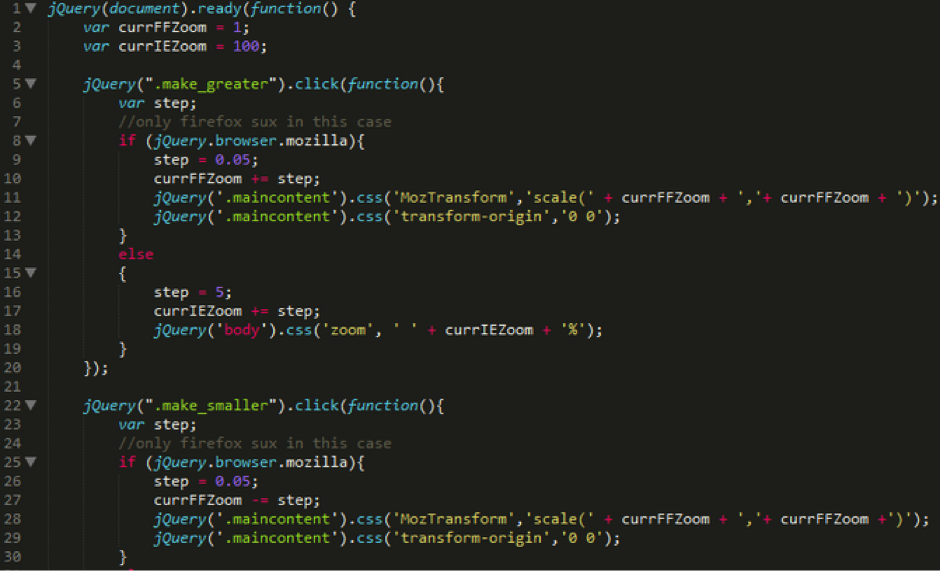
jQuery is a JavaScript library that enables handling of HTML documents in DOM and CSS styles, management of events, effects and animations, and AJAX, using an API that makes developer work much easier, and is compatible with all the latest-generation browsers. The designer designs and jQuery makes sure that this design can be used with no problems in any scenario. It is one of most extensively used libraries in the world of design for creating responsive digital projects (with a specific variety of jQuery called jQuery Mobile), a single design for any environment (desktop, mobile and tablet). Its versatility and ability to enhance the resources with plugins have turned it into a real benchmark. Large companies such as Google, Microsoft and IBM use it in their products.
jQuery has other benefits that have made it so popular:
– Style programming is very similar to the traditional CSS. If the designer has expertise in CSS, adaptation is simple.
– Concatenation of headings. Different elements can be handled at the same time with a single line of code. Simplicity.
– It is really easy to add to any web page. To include within the code, we place the <script> within the <head>:
<head>
<script src = "jquery-1.11.3.min.js"> </ script>
</ head>
It is advisable to place the developed JavaScript file in the same directory used to store the web pages on which we use jQuery.
There are two different versions within this front-end library, depending on the library's intended use.
– Production version: A jQuery version available for web pages with the code already compacted and compressed
– Development version: For testing (uncompressed code).
html5sql is a JavaScript library intended especially for working with the Web SQL database for HTML5. It provides a structure where SQL statements can be processed in a single transaction (operations treated as a single unit). All the features in html5sql are designed to speed up front-end development:
– Ability to process SQL sequences in several different ways:
– As a single series of SQL statements.
– As a matrix of SQL statement strings.
– As a set of SQL statement objects.
– As a string that contains several SQL statements, each of which ends with a semicolon.
– Based on a separate file with SQL instructions.
– Provide a framework for controlling the versions of a database.
RequireJS is a JavaScript library based on the AMD specification (Asynchronous Module Definitionhttp://requirejs.org/docs/whyamd.html) that enables the user to define modules and explicitly state the dependencies needed for each module in an application developed in JavaScript. RequireJS is a very useful library because this syntax does not include by default a way of declaring modules explicitly without adding a huge number of script tags to the code.
– Assignment of dependencies to a variable within a module.
– Timeout management.
– Compatible with most browsers available on the market: Internet Explorer, Mozilla Firefox, Google Chrome, Safari and Opera.
The ultimate objective of RequireJS is to establish a different approach in loading JavaScript's traditional script tags. RequireJS uses modular code, i.e. a syntax based on module identifiers, instead of URL addresses. RequireJS loads the code from a baseURL that is usually set in the same directory as the script. The library invokes the code and loads the page when it checks this key data attribute.
<!–This sets the baseUrl to the "scripts" directory, and loads a script that will have a module ID of 'main'–> <script data-main="scripts/main.js" src="scripts/require.js"></script>
BonsaiJS is a JavaScript library for creating SVG graphics and animations and easily adding audio, video and image files. The interesting aspect of using JavaScript for creating data visualization is that the data is always loaded in the browser, on the client side, and never on the server side. It is the ideal way of having high-quality graphics and animations at no added cost.
PrismJS is a specific JavaScript library for highlighting code in the text of a web page. It applies styles to the syntax based on the type of language used. The languages included by default are the usual trio used for design (HTML, JS and CSS), but when the library is downloaded it can be customized to highlight other types of languages.
PrismJS has five different subjects, six plugins for extending its functionality and offers the possibility of highlighting up to 15 sintaxes (not only HTML or JavaScript, but also Java, C, PHP, Python, CoffeeScript…).
Once the library is downloaded, a call is placed in the website's HTML code, specifically in the <head> and the <body>, and the <pre> and <code> tags are then used to start highlighting the relevant code:
Infinity.js is a library that enables users to change the usual pagination style on a website. A designer or developer can load new entries as the user scrolls and reaches the end of the page. This constant loading of new information is done based on batches and to infinity, hence the library's name. When the reader reaches the end, more entries are loaded. This is what developers call a UITableView, a tool for displaying new content in list format.
This open source library was developed by the tourist accommodation exchange site Airbnb, is distributed under a BSD (Berkeley Software Distribution) license and the code is available in GitHub. In order to use it, the jQuery library needs to be installed first.
– Code to start working with Infinity.js:
var $el = $('#my-infinite-container');
var listView = new infinity.ListView($el);
// … When adding new content:
var $newContent = $('<p>Hello World</p>');
listView.append($newContent);
// … To remove items from a list:
var listItems = listView.find('.my-items');
for(var index = 0, length = listItems.length; index < length; index++) {
Banco Bilbao Vizcaya Argentaria, S.A. owner of this portal uses cookies and/or similar technologies of its own and third parties for the purposes of personalization, analytics, behavioral advertising or advertising related to your preferences based on a profile prepared from your browsing habits (e.g. pages visited). If you wish to obtain more detailed information, consult our Cookies Policy.
Cookie settings panel
These are the advanced settings for first-party and third-party cookies. Here you can change the parameters that will affect your browsing experience on this website.
Technical Cookies (required)
These cookies are used to give you secure access to areas with personal information and to identify you when you log in.
Name
Owner
Duration
Description
gobp.lang
BBVA
1 month
Language preference
aceptarCookies
BBVA
1 year
Configuration Accepted Cookies
_abck
BBVA
1 year
Helps protect against malicious website attacks
bm_sz
BBVA
4 hours
Helps protect against malicious website attacks
ADRUM_BTs
Salesforce Marketing Cloud
Session
Required for monitoring of the service, inherent to SFMC
ADRUM_BT1
Salesforce Marketing Cloud
Session
Required for monitoring of the service, inherent to SFMC
ADRUM_BTa
Salesforce Marketing Cloud
Session
Required for monitoring of the service, inherent to SFMC
ADRUM_BT
Salesforce Marketing Cloud
Session
Required for monitoring of the service, inherent to SFMC
xt_0d95e
Salesforce Marketing Cloud
Session
Remember user preferences (if any)
__s9744cdb192d044faa1bf201d29fafd1e
Salesforce Marketing Cloud
Session
Remember user preferences (if any)
wpml_browser_redirect_test
WPML
Session
Text translation in the portal
wp-wpml_current_language
WPML
24 hours
Text translation in the portal
Analytics Cookies
They are used to track the activity or number of visits anonymously. Thanks to them we can constantly improve your browsing experience
Your browsing experience is constantly improving.
With your selection, we cannot offer you a continuously improved browsing experience.
Name
Owner
Duration
Description
AMCV_***
Adobe Analytics
Session
Unique Visitor IDs used in Cloud Marketing solutions
AMCVS_***
Adobe Analytics
2 years
Unique Visitor IDs used in Cloud Marketing solutions
demdex (safari)
Adobe Analytics
180 days
Create and store unique and persistent identifiers
sessionID
Adobe Analytics
Session
Launch's internal cookie used to identify the user
gpv_URL
Adobe Analytics
Session
Adobe Analytics plugin: getPreviousValue Capture the value of a certain variable in the following page view, in this case the prop1
gpv_level1
Adobe Analytics
Session
Cookie used to store the DataLayer levl1 of the previous page.
gpv_pageIntent
Adobe Analytics
Session
Cookie used to store the pageIntent of the previous page.
gpv_pageName
Adobe Analytics
Session
Cookie used to store the pagename of the previous page.
aocs
Adobe Analytics
Session
Cookie that stores the first values collected at the beginning of a process.
TTC
Adobe Analytics
Session
Cookie used to store the time between the App Page Visit event and the App Completed event.
TTCL
Adobe Analytics
Session
Cookie used to store the time between the LogIn event and App Completed.
s_cc
Adobe Analytics
Session
Determine if cookies are active
s_hc
Adobe Analytics
Session
Cookie used by Adobe for analytical purposes
s_ht
Adobe Analytics
Session
Cookie used by Adobe for analytical purposes
s_nr
Adobe Analytics
2 years
Determine the number of user visits
s_ppv
Adobe Analytics
Permanent
Adobe Analytics plugin: getPercentPageViewed Determine what percentage of the page a user views
s_sq
Adobe Analytics
Session
ClickMap/ActivityMap features
s_tp
Adobe Analytics
Session
Cookie used by Adobe for analytical purposes
s_visit
Adobe Analytics
2 years
Cookie used by Adobe to know when a session has been started.
Advertising Cookies
They allow the advertising shown to you to be customized and relevant to you. Thanks to these cookies, you will not see ads that you are not interested in.
The advertising is customized to you and your preferences.
Your choice means you will not see customized ads, only generic ones.
Name
Owner
Duration
Description
OT2
VersaTag
90 days
VersaTag Cookie used to store a user id and the number of user visits.
u2
VersaTag
90 days
VersaTag Cookie where the user ID is stored
TargetingInfo 2
MediaMind
1 year
Cookie that serves to assign a unique random number that generates MediaMind.
Customization Cookies
These cookies are related to general features such as the browser you use.
Your experience and content have been customized.
With your selection, we cannot offer you a continuously improved browsing experience.
Name
Owner
Duration
Description
mbox
Adobe Target
9 days
Cookie used by Adobe Target to test user experience customization.
Looks like you’re browsing from MexicoSpainArgentinaPeruColombiaBelgiumChileUSAFranceHong KongItalyPortugalUnited KingdomTurkeyUruguayVenezuelaAlemania, so let’s show you the custom content for your
location. Change
Select a country
In order to access the private area and corresponding sandbox, select the country of the APIs you want to use.