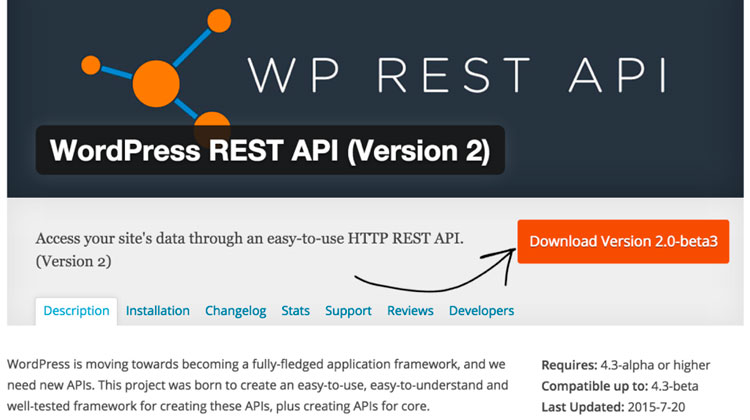
The WordPress REST API: no longer a CMS, but a development framework
One of the most recent great revolutions in information technology is the universalization of content management systems (CMS). Drupal, Joomla, Fork CMS and TextPattern have all made it easy for users to create blogs and websites, but the main contributor to these results has been the king of the accessible CMS: WordPress. A simple system designed for the majority of users, with default templates so you can begin publishing from the word go, hundreds of plugins to upgrade the features of the CMS, and now with a REST API to enhance the development possibilities.
WordPress has become the leader in universal access to publishing information: 60% of the websites developed from a CMS are based on WordPress. A comparison of WordPress searches with other content management systems such as Drupal or Joomla, reveals notable differences. Users who wish to create a blog for publication find WordPress particularly attractive, largely because word-of-mouth has worked so effectively with this high-quality CMS.
As WordPress has gradually become more famous, it has also received greater recognition. A few years ago, almost any professional publishing project was obliged to develop its own CMS. Today this is becoming just another thing of the past. WordPress offers a wider, more flexible and scalable service on which many companies rely for their publishing projects: WordPress VIP. Any project in WordPress is likely to want to create new publishing projects in the future, like a web app or a mobile app. That would require, for example, automating the content updating processes. This is the reason for launching a REST API.
Features of the WordPress REST API
The REST API allows data to be collected in the JSON format on any website developed in WordPress in a simple way through HTTP requests: information related to nine different types of object, including messages, pages, comments, taxonomies (tags to order the content in terms of subjects, geographical units or people’s names) or user profiles. Updating, modifying or recovering these data is simple.
The HTTP protocol (Hyper Text Transfer Protocol) enables the information to be shared between a customer (a desktop computer, a smartphone or a tablet), normally by JavaScript code, and a web server. These HTTP requests are the ones normally used by REST APIs to interact.
Thanks to the launch of this application programming interface, WordPress is now no longer simply a system of content management –WordPress has become a framework. The only thing any development team or user who wishes to start using this REST API needs to know is that it’s available with a plugin, although the idea in the short term is for it to form part of the actual WordPress core.
– HTTP request to create a new post for a blog or webpage in WordPress: POST /wp-json/wp/v2/posts.
– HTTP request to retrieve entry with ID 100: GET /wp-json/wp/v2/posts/123.
– HTTP request to update the user with ID 4: /wp-json/wp/v2/users/4.
– HTTP request to search for entries that use the word “Brexit”: GET /wp-json/wp/v2/posts?search=brexit.
– HTTP request to delete the post with ID 100: DELETE /wp-json/wp/v2/posts/123
The WordPress API, a new world
With the launch of the WordPress API, the question is… where does this new service take us? There are practical cases today where companies –whether or not they are media companies– are already using the application programming interface very successfully. This is the only way to understand the impact of this API:
– The WordPress API gives freedom and complete flexibility to any developer or professional with a project in this CMS. In fact, thanks to the API it’s no longer necessary to use the WordPress template engine. You can continue using the back-end of the CMS and have your own front-end in a separate server. The front-end will paint the information it extracts from the server API wherever the WordPress back-end is. The New York Times uses the REST API for its direct coverage; other media such as Mashable and Techcrunch use WordPress VIP, with a back-end from WordPress but with a front-end (templates) that’s totally their own.
– The API not only allows the front-end and back-end to be dissociated in different servers, it also actually enables the typical WordPress back-end to be written. This means that on the basis of the WordPress CMS, a team of developers can customize the content management system for any digital project, such as a web app, mobile app and so on.
– Another benefit is that a WordPress project can be integrated with the user’s own or third-party apps. In this case WordPress would become a space for storing data which would feed new projects such as webpages or apps thanks to the interaction of the API –for example, an app developed in Node.js– and for these products to be able to request, update or delete information in WordPress with the API. This is the start of a vast movement, where WordPress becomes the base layer for launching apps. This has a name –a development framework. A highly versatile framework for the management of users and contents.
Banco Bilbao Vizcaya Argentaria, S.A. owner of this portal uses cookies and/or similar technologies of its own and third parties for the purposes of personalization, analytics, behavioral advertising or advertising related to your preferences based on a profile prepared from your browsing habits (e.g. pages visited). If you wish to obtain more detailed information, consult our Cookies Policy.
Cookie settings panel
These are the advanced settings for first-party and third-party cookies. Here you can change the parameters that will affect your browsing experience on this website.
Technical Cookies (required)
These cookies are used to give you secure access to areas with personal information and to identify you when you log in.
Name
Owner
Duration
Description
gobp.lang
BBVA
1 month
Language preference
aceptarCookies
BBVA
1 year
Configuration Accepted Cookies
_abck
BBVA
1 year
Helps protect against malicious website attacks
bm_sz
BBVA
4 hours
Helps protect against malicious website attacks
ADRUM_BTs
Salesforce Marketing Cloud
Session
Required for monitoring of the service, inherent to SFMC
ADRUM_BT1
Salesforce Marketing Cloud
Session
Required for monitoring of the service, inherent to SFMC
ADRUM_BTa
Salesforce Marketing Cloud
Session
Required for monitoring of the service, inherent to SFMC
ADRUM_BT
Salesforce Marketing Cloud
Session
Required for monitoring of the service, inherent to SFMC
xt_0d95e
Salesforce Marketing Cloud
Session
Remember user preferences (if any)
__s9744cdb192d044faa1bf201d29fafd1e
Salesforce Marketing Cloud
Session
Remember user preferences (if any)
wpml_browser_redirect_test
WPML
Session
Text translation in the portal
wp-wpml_current_language
WPML
24 hours
Text translation in the portal
Analytics Cookies
They are used to track the activity or number of visits anonymously. Thanks to them we can constantly improve your browsing experience
Your browsing experience is constantly improving.
With your selection, we cannot offer you a continuously improved browsing experience.
Name
Owner
Duration
Description
AMCV_***
Adobe Analytics
Session
Unique Visitor IDs used in Cloud Marketing solutions
AMCVS_***
Adobe Analytics
2 years
Unique Visitor IDs used in Cloud Marketing solutions
demdex (safari)
Adobe Analytics
180 days
Create and store unique and persistent identifiers
sessionID
Adobe Analytics
Session
Launch's internal cookie used to identify the user
gpv_URL
Adobe Analytics
Session
Adobe Analytics plugin: getPreviousValue Capture the value of a certain variable in the following page view, in this case the prop1
gpv_level1
Adobe Analytics
Session
Cookie used to store the DataLayer levl1 of the previous page.
gpv_pageIntent
Adobe Analytics
Session
Cookie used to store the pageIntent of the previous page.
gpv_pageName
Adobe Analytics
Session
Cookie used to store the pagename of the previous page.
aocs
Adobe Analytics
Session
Cookie that stores the first values collected at the beginning of a process.
TTC
Adobe Analytics
Session
Cookie used to store the time between the App Page Visit event and the App Completed event.
TTCL
Adobe Analytics
Session
Cookie used to store the time between the LogIn event and App Completed.
s_cc
Adobe Analytics
Session
Determine if cookies are active
s_hc
Adobe Analytics
Session
Cookie used by Adobe for analytical purposes
s_ht
Adobe Analytics
Session
Cookie used by Adobe for analytical purposes
s_nr
Adobe Analytics
2 years
Determine the number of user visits
s_ppv
Adobe Analytics
Permanent
Adobe Analytics plugin: getPercentPageViewed Determine what percentage of the page a user views
s_sq
Adobe Analytics
Session
ClickMap/ActivityMap features
s_tp
Adobe Analytics
Session
Cookie used by Adobe for analytical purposes
s_visit
Adobe Analytics
2 years
Cookie used by Adobe to know when a session has been started.
Advertising Cookies
They allow the advertising shown to you to be customized and relevant to you. Thanks to these cookies, you will not see ads that you are not interested in.
The advertising is customized to you and your preferences.
Your choice means you will not see customized ads, only generic ones.
Name
Owner
Duration
Description
OT2
VersaTag
90 days
VersaTag Cookie used to store a user id and the number of user visits.
u2
VersaTag
90 days
VersaTag Cookie where the user ID is stored
TargetingInfo 2
MediaMind
1 year
Cookie that serves to assign a unique random number that generates MediaMind.
Customization Cookies
These cookies are related to general features such as the browser you use.
Your experience and content have been customized.
With your selection, we cannot offer you a continuously improved browsing experience.
Name
Owner
Duration
Description
mbox
Adobe Target
9 days
Cookie used by Adobe Target to test user experience customization.
Looks like you’re browsing from MexicoSpainArgentinaPeruColombiaBelgiumChileUSAFranceHong KongItalyPortugalUnited KingdomTurkeyUruguayVenezuelaAlemania, so let’s show you the custom content for your
location. Change
Select a country
In order to access the private area and corresponding sandbox, select the country of the APIs you want to use.